Features
User Guide
Submit a Ticket
Try PDF ProBuy
Login
Create Account
English
PDFPro Logo

Annotate
& Markup

Edit PDF Files

Create
& Convert

Merge
& Optimize

Secure
& Sign

Scan
& OCR

PDF Pro: Features at Glance

Start Free TrialPricing
  • Highlight Text/Area
  • Add Notes
  • Shapes
  • Strikethrough, Underline
  • Typewriter
  • Ruler & Grid
  • Add Attachments
  • Free-hand Pencil
  • Measure Tool
  • Annotate & Markup with PDF Pro

    placeholder

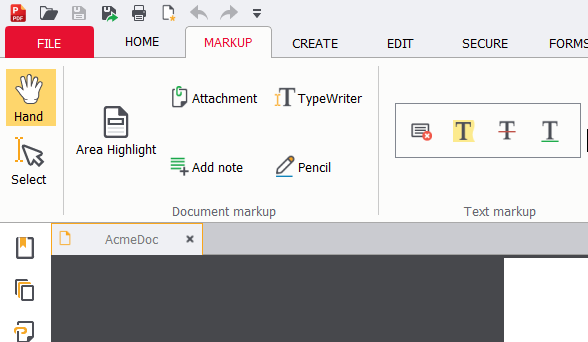
    Whether it’s stamps, shapes, highlighters, or a typewriter tool, PDF Pro offers a full suite of tools for the end-user to annotate their PDFs without changing underlying content. These Annotations can be toggled to be visible or hidden, making it easy to work with markups.

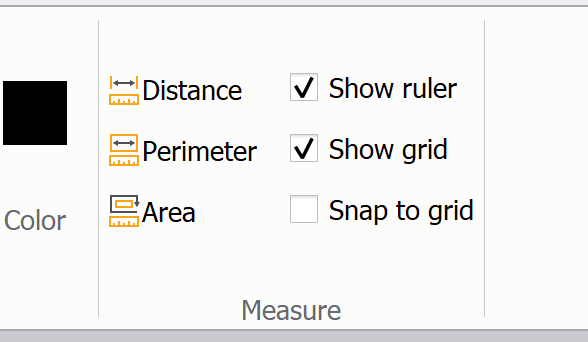
    PDF Pro offers precision measurement tools, grids and guides, often useful for Computer-Aided drawings (CAD), blueprints, and other engineering or technical documents often.

    placeholder
    placeholder

    PDF Pro loads fast, is devoid of bloatware, and with all the features you’d want to view PDF files on, we trust you’ll find PDF Pro makes working with PDF files intuitive and easy.

    Trusted by 100,000+ Clients

    PDF Pro Software Inc.

    +1 (604) 273-2527

    744 West Hastings #211
    Vancouver, BC V6C 1A5 Canada
    V6H 1E1

    hello@pdfpro.com

    Products

    PDF ProOnline Tools
    • Merge PDF
    • Rotate PDF
    • PDF to PNG
    • PDF to JPG
    All Online Tools

    Payment

    Support

    Knowledge BaseSubmit a TicketFAQRelease NotesVolume Licensing

    Policy

    License InformationDPATerms & ConditionsCookie PolicyPrivacy PolicyRefund Policy

    Company

    About UsBlogMember of:

    PDF Pro is a desktop software for Windows & Mac distributed by PDF Pro Software Inc. The software "PDF Pro" and the company "PDF Pro Software Inc." are in no way affiliated with Adobe. The PDF file format is an open file format published under ISO 32000-1:2008

    © 2017 - 2026, PDF Pro Software Inc. All rights reserved.