
Features
User Guide
Submit a Ticket
Try PDF ProBuy
Login
Create Account
English
PDFPro Logo

Annotate
& Markup

Edit PDF Files

Create
& Convert

Merge
& Optimize

Secure
& Sign

Scan
& OCR

PDF Pro: Features at Glance

Start Free TrialPricing
  • Merge PDF Files
  • Split PDF Files
  • Extract Pages from PDF
  • Reduce File Size
  • Insert/Delete Pages
  • Crop/Resize Pages
  • Flatten PDF Objects
  • Rearrange Page Order
  • Archive to PDF/A
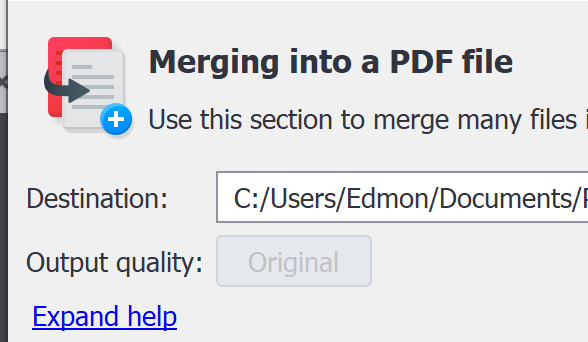
  • Merge, Optimize, and Rearrange your PDF Files
    placeholder

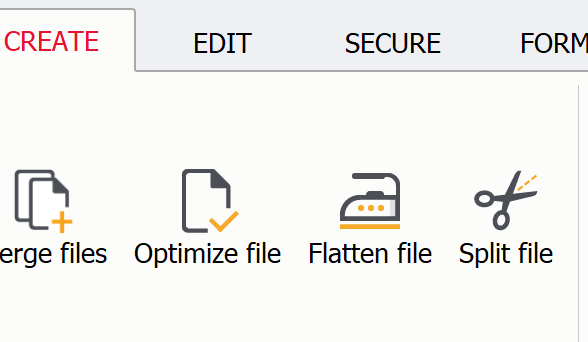
    Merge, Split, rearrange: You’ll become more productive by putting together a document with only the right pages in a matter of minutes.

    Make your document ready to be distributed for a variety of audiences by compressing assets in your document, flattening images, or removing annotations.
    placeholder
    placeholder

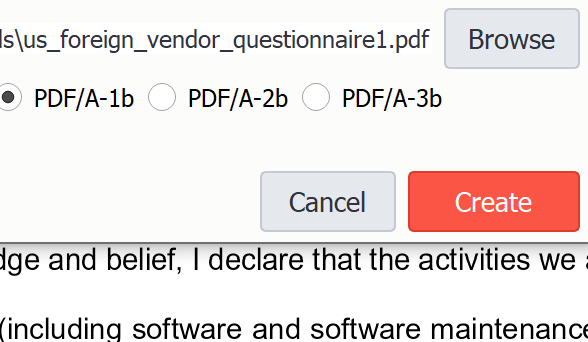
    PDF Pro allows you to save your PDF file as a PDF/A-1b, PDF/A-2b or PDF/A-3b, adhering to document archiving specifications.

    Trusted by 100,000+ Clients

    PDF Pro Software Inc.

    +1 (604) 273-2527

    744 West Hastings #211
    Vancouver, BC V6C 1A5 Canada
    V6H 1E1

    hello@pdfpro.com

    Products

    PDF ProOnline Tools
    • Merge PDF
    • Rotate PDF
    • PDF to PNG
    • PDF to JPG
    All Online Tools

    Payment

    Support

    Knowledge BaseSubmit a TicketFAQRelease NotesVolume Licensing

    Policy

    License InformationDPATerms & ConditionsCookie PolicyPrivacy PolicyRefund Policy

    Company

    About UsBlogMember of:

    PDF Pro is a desktop software for Windows & Mac distributed by PDF Pro Software Inc. The software "PDF Pro" and the company "PDF Pro Software Inc." are in no way affiliated with Adobe. The PDF file format is an open file format published under ISO 32000-1:2008

    © 2017 - 2026, PDF Pro Software Inc. All rights reserved.